10 Stunning Small Game Room Ideas for Cozy Setup
- Game Room Design
 Ben
Ben- 0
- 40 minutes read
So you’ve got a small space and a big gaming dream. Sound familiar? Trust me, I’ve been there — staring at a cramped corner of my apartment, controller in hand, wondering how on earth I was going to turn this sad little nook into the ultimate gaming sanctuary. Spoiler alert: it’s absolutely possible, and it doesn’t require knocking down walls or winning the lottery.
Whether you’re working with a spare bedroom, a converted closet (yes, really), or just a corner of your living room that you’ve claimed as your own gaming territory, small game rooms can be incredibly cozy, functional, and downright impressive. You just need the right ideas, a little creativity, and maybe a weekend of furniture rearranging that will make your back hurt just enough to feel accomplished.
In this article, I’m walking you through 10 stunning small game room ideas that actually work in tight spaces. These aren’t just pretty Pinterest boards that look great on screen but fall apart in reality — these are practical, achievable setups that real gamers use every day. Let’s get into it.
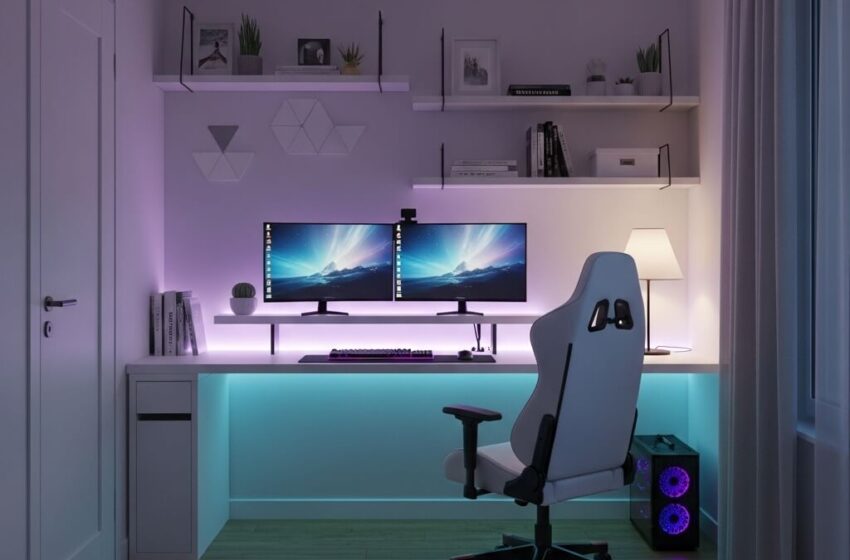
1. Minimalist LED Small Game Room Setup
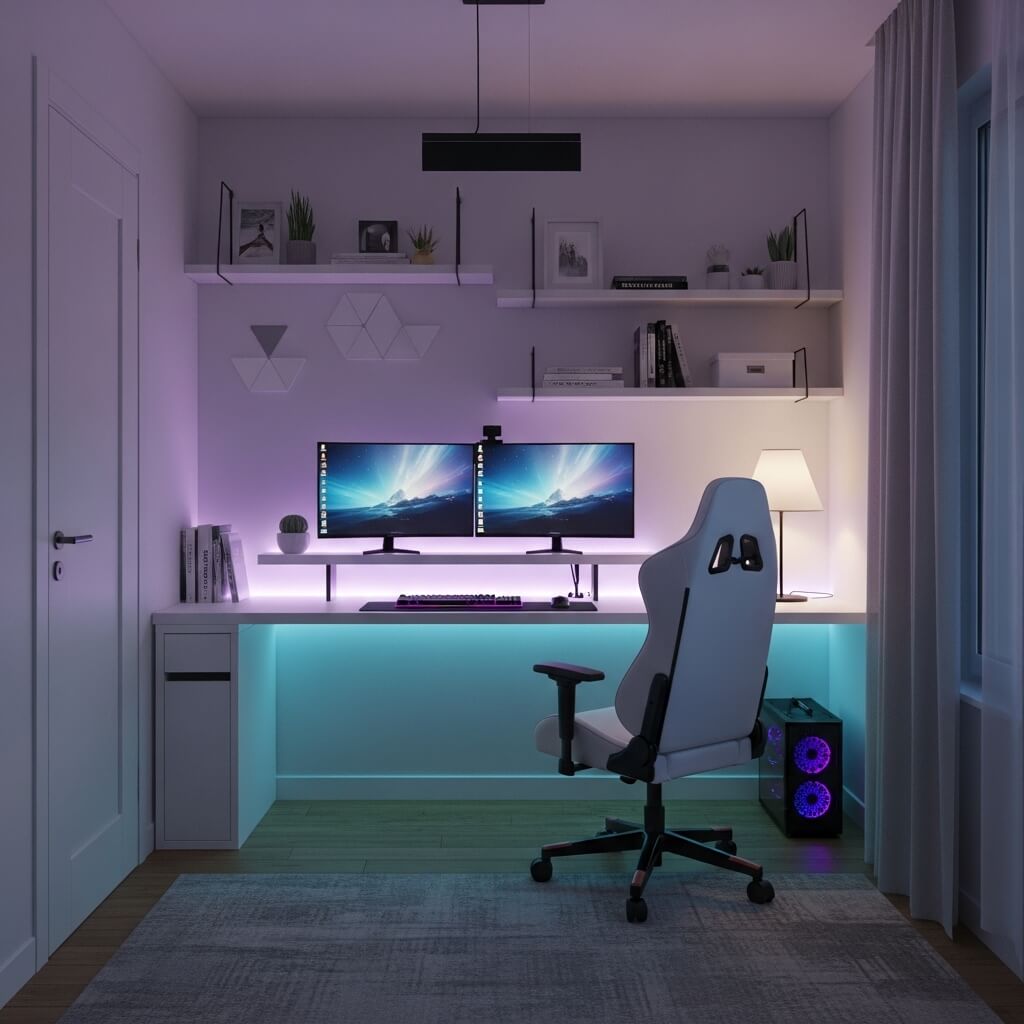
Let me start with one of my absolute favorites: the minimalist LED setup. If you’ve ever scrolled through gaming room inspirations online and thought, “That looks clean but I have no idea where to start,” — this one’s for you.
What Makes Minimalism Work in a Small Space?
Minimalism isn’t just an aesthetic choice. In a small game room, it’s a survival strategy. The less clutter you have, the more spacious your room feels — and LED lighting is the secret weapon that ties the whole look together without adding bulk.
Here’s what a great minimalist LED setup usually includes:
- A clean, cable-managed desk with no visible wire chaos
- Bias lighting behind your monitor (this is a game-changer, literally and figuratively)
- LED strips along the desk edges or behind shelving for that soft ambient glow
- A minimal monitor stand or arm to free up desk real estate
- Neutral color walls — whites, grays, or blacks work best
My Personal Take
I switched to a minimalist LED setup about two years ago, and I genuinely didn’t realize how much the clutter was stressing me out until it was gone. The LED bias lighting behind my monitor reduced eye strain during late-night sessions significantly. Don’t underestimate the power of a clean, well-lit space — it makes gaming feel more immersive and way less chaotic.
The key to pulling off the minimalist look in a small room is intentionality. Every item on your desk should have a purpose. If it doesn’t serve you, it doesn’t deserve the real estate.
2. Cozy Corner Gaming Nook Ideas
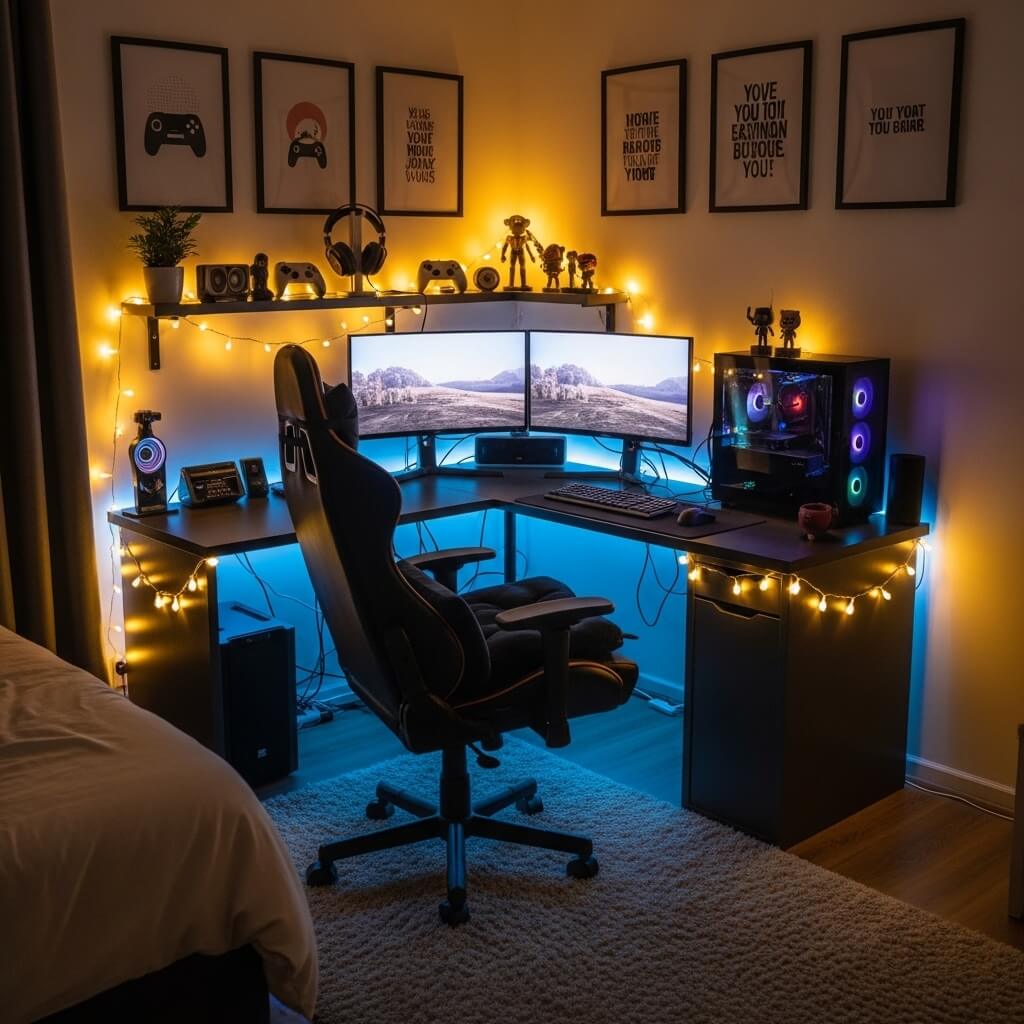
Ah, the beloved corner nook. This is probably the most underutilized space in any room, and gamers who figure this out early are operating at a completely different level.
How to Transform a Dead Corner into a Gaming Haven
Corners are awkward because standard furniture doesn’t always fit them well. But corner desks exist for a reason, and when you use one properly, you suddenly have way more surface area than a standard straight desk would ever give you.
Here’s what you want to think about when building a corner gaming nook:
- L-shaped or corner desks give you room for your monitor, keyboard, and secondary items without crowding
- Cozy lighting matters — warm fairy lights or a small desk lamp make the nook feel inviting rather than like a dark dungeon
- A comfortable chair is non-negotiable — don’t skimp here, your back will send you hate mail
- Small shelving units on either side of the corner help you go vertical without losing floor space
- Soft textures like a small rug, armrest pads, or even a throw blanket over the chair back make the space feel cozy and lived-in
Why Corners Work So Well
Corners naturally create a sense of enclosure, which actually enhances your focus and immersion when you’re gaming. It’s like having your own little world within a room. You feel tucked in, comfortable, and mentally separated from the rest of the space — which is exactly what you want when you’re three hours into a raid.
FYI, if you pair a corner nook with soft LED lighting and a good chair, you’ve basically built yourself a first-class gaming experience without needing a dedicated room at all.
3. Wall-Mounted Gaming Station for Small Rooms
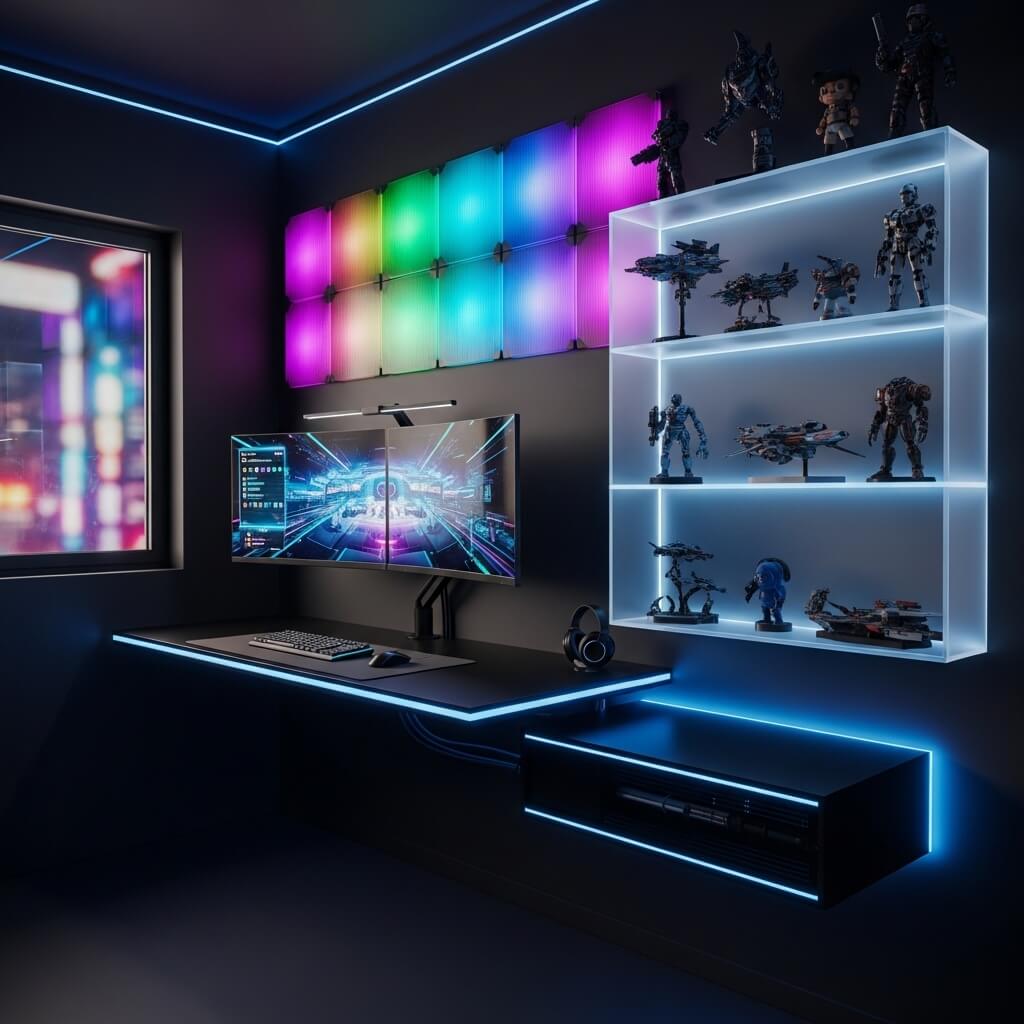
Okay, this one requires a little more commitment — as in, you’re going to be putting holes in your wall. But hear me out, because wall-mounted gaming stations are one of the smartest space-saving solutions you’ll ever see.
The Magic of Going Wall-Mounted
When you mount your setup to the wall, you free up your floor space entirely. That means more room to move, more room to breathe, and frankly, a setup that looks like it belongs in a tech magazine.
Here’s what a wall-mounted gaming station typically includes:
- A wall-mounted floating desk — these fold up when not in use, which is genius
- Monitor arm or VESA mount screwed directly into the wall
- Wall-mounted cable management tracks to keep everything tidy
- Mounted shelving for consoles, headsets, and games
- A pegboard panel for controllers, accessories, and decorative items
Things to Consider Before You Mount
Wall-mounted setups are fantastic, but they do require some planning:
- Check your wall type — drywall needs anchors, brick needs different hardware
- Make sure you know where your studs are before drilling into anything
- Plan your cable routing before mounting anything so you don’t end up with wires dangling everywhere
- Consider a fold-down desk if you want to reclaim the space when you’re not gaming
I’ll be honest — the first time I installed a wall-mounted monitor arm, I measured wrong and had to patch a hole. Learn from my mistake and measure twice before you drill once. :/ But once it’s up? Absolutely worth it.
Also Read: 10 Modern Game Room Design Ideas for Stylish Gaming Spaces
4. Budget-Friendly Small Game Room Setup
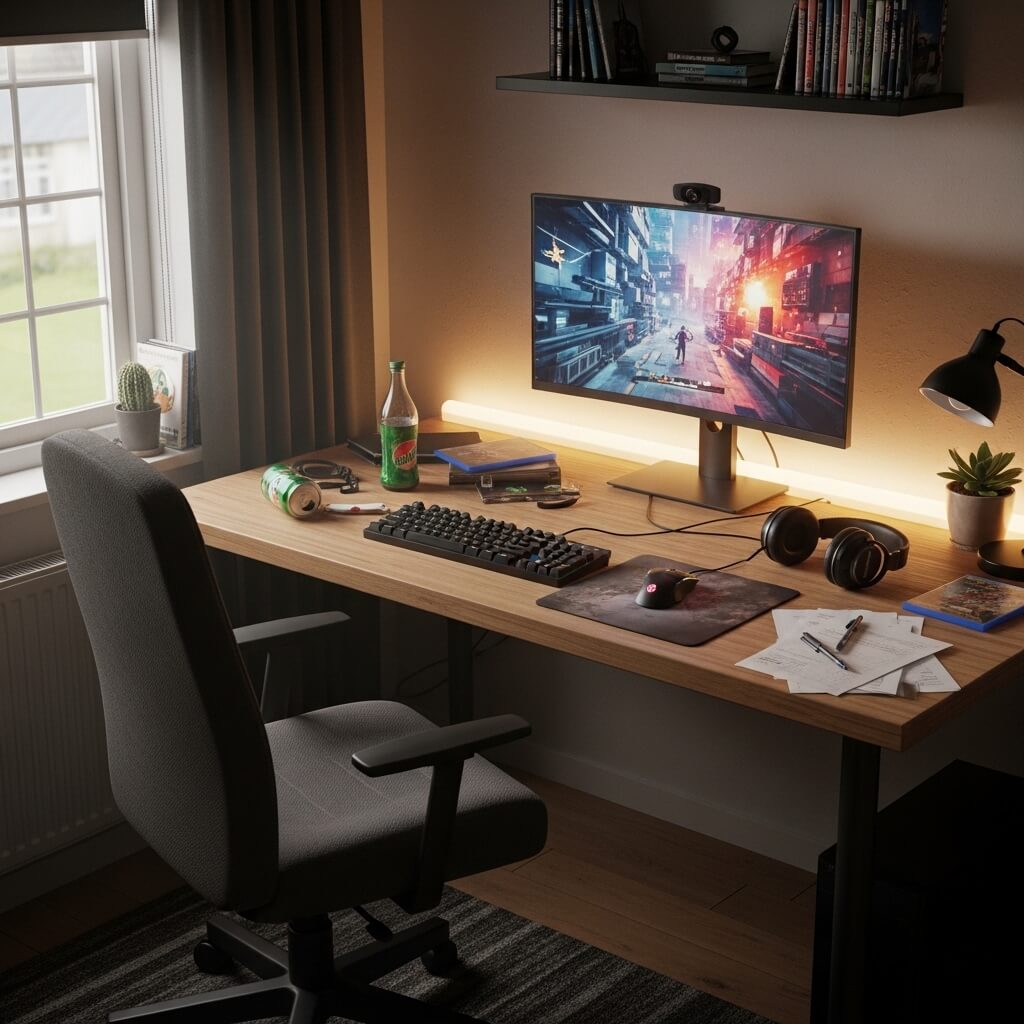
Not everyone has $5,000 to drop on a dream gaming setup, and that’s perfectly fine. Actually, some of the most creative and impressive small game rooms were built on tight budgets. Necessity really is the mother of invention.
How to Build a Great Setup Without Breaking the Bank
Budget gaming setups require smart shopping, creative problem-solving, and a willingness to prioritize. Here’s a framework that actually works:
Priorities first:
- Spend more on your monitor and chair — these directly impact your health and gaming experience
- Spend less on desk aesthetics — a cheap IKEA desk with some LED strips looks just as good as an expensive gaming desk
Budget-friendly shopping tips:
- Facebook Marketplace and Craigslist are goldmines for used gaming chairs, desks, and monitors
- IKEA’s ALEX and LINNMON combo is legendary in the gaming community for a reason — it’s sturdy, spacious, and inexpensive
- Amazon Basics LED strips cost under $20 and look just as good as brand-name ones
- Refurbished monitors from certified sellers can save you 40-50% compared to buying new
IMO, the Budget Approach Wins
Here’s an unpopular opinion for you: budget builds teach you more about setup design than unlimited-budget builds do. When you have constraints, you get creative. You find hacks. You discover that a $15 pegboard from the hardware store can replace a $200 gaming accessory organizer. And honestly? The satisfaction of building something great with limited resources hits different.
5. Multi-Functional Bedroom Gaming Space
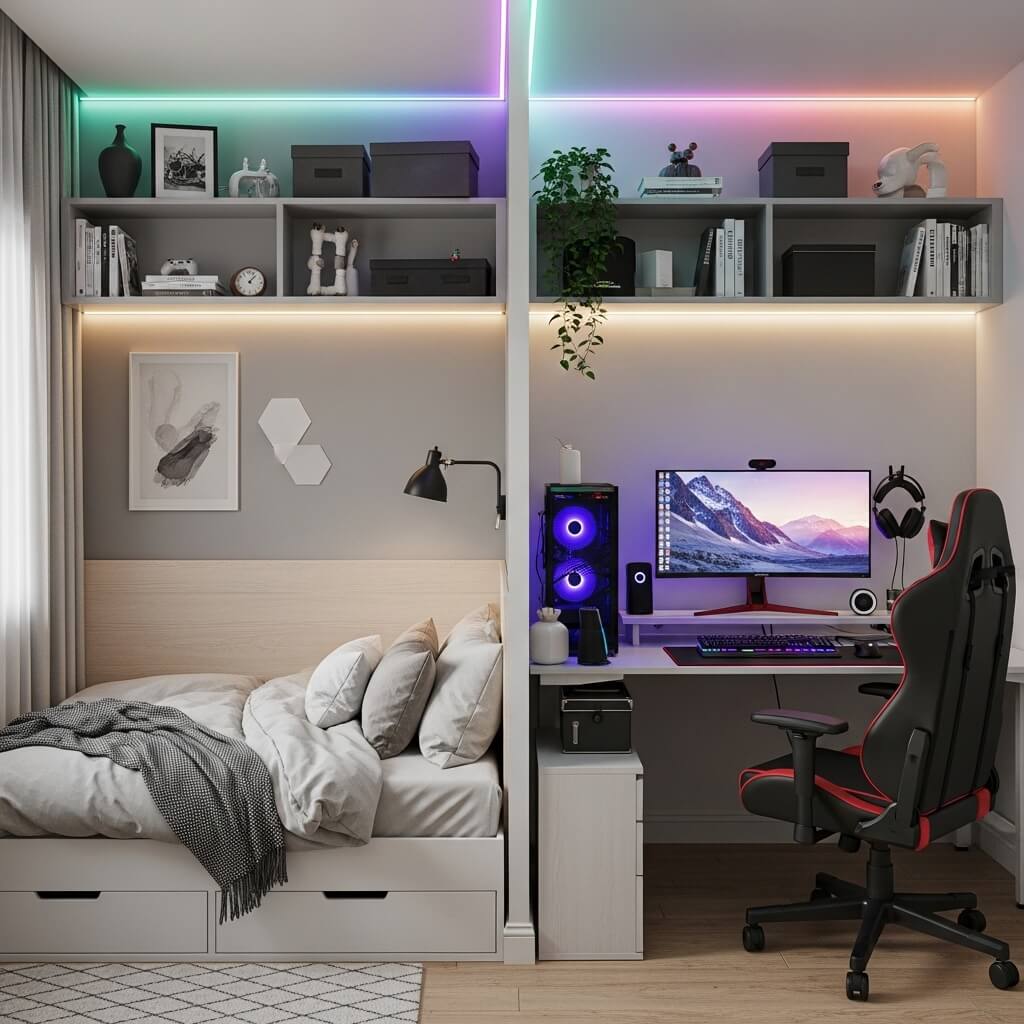
For a lot of us, the “game room” is just… the bedroom. And there’s zero shame in that. The challenge is making sure your gaming space doesn’t completely take over your sleeping space — because trust me, staring at your gaming setup when you’re trying to sleep does not help.
Creating Zones Within a Single Room
The secret to a great bedroom gaming space is zone separation. Even in a small room, you can create a psychological and visual distinction between your sleep zone and your gaming zone.
Here’s how to do it:
- Position your desk away from the bed — ideally facing a different wall
- Use a bookshelf or room divider to create a subtle boundary between zones
- Choose calming desk lighting that you can dim or turn off completely when it’s time to sleep
- Keep your gaming area tidy — clutter in your sleep space affects your sleep quality (science backs this up)
- Use blackout curtains if your desk faces a window — they improve gaming visibility during the day and sleep quality at night
Smart Multi-Functional Furniture
Some furniture pieces genuinely do double duty brilliantly:
- Ottomans with storage hold games, controllers, or cables while serving as seating
- Murphy bed with integrated desk — the ultimate bedroom-gaming hybrid for tiny spaces
- Floating shelves serve as display space, storage, and room decoration all at once
The goal is harmony, not compromise. Your bedroom can be both a great sleep environment and a functional gaming space — you just have to be intentional about it.
6. Compact Console Gaming Setup Ideas
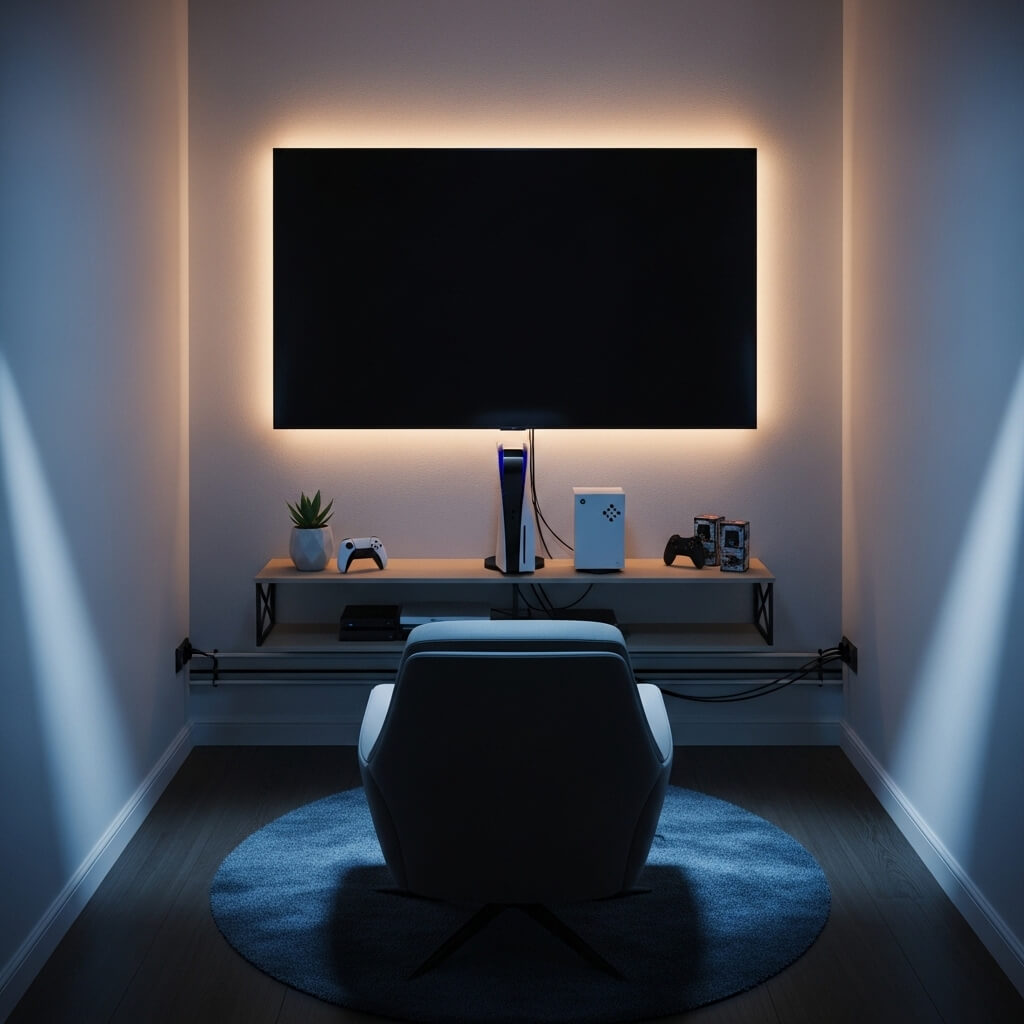
PC gaming gets most of the spotlight when it comes to desk setups, but console gamers have just as much to think about — and often have an easier time working with small spaces, honestly.
Why Console Setups Work Great in Small Rooms
Consoles are compact by design. A PlayStation 5 or Xbox Series X takes up surprisingly little space compared to a full gaming PC tower. That means you can build a genuinely impressive console setup in a very small footprint.
Here’s what makes a compact console setup shine:
- A small but high-quality TV or gaming monitor — for tight spaces, a 24-27 inch monitor often beats a larger TV for viewing distance and latency
- A media console or floating TV stand keeps your consoles, controllers, and accessories organized
- Controller charging stations eliminate cable clutter and keep everything tidy
- Headset stands attached to the wall or desk side keep headsets accessible without taking up desk space
- Cable management boxes hide power strips and excess cables
The Couch + Console Combo
Ever considered turning your couch into the centerpiece of your console setup? Place a TV on a wall-mounted bracket at eye level, position a small coffee table for controllers and snacks, and suddenly you’ve got a living-room-style console setup that feels incredibly cozy. It’s low-key one of the best setups for small apartments, and it doubles as your entertainment space too.
Also Read: 10 Magical Halloween Balcony Decor Ideas Spooky Cute Balcony
7. Aesthetic RGB Small Game Room Design
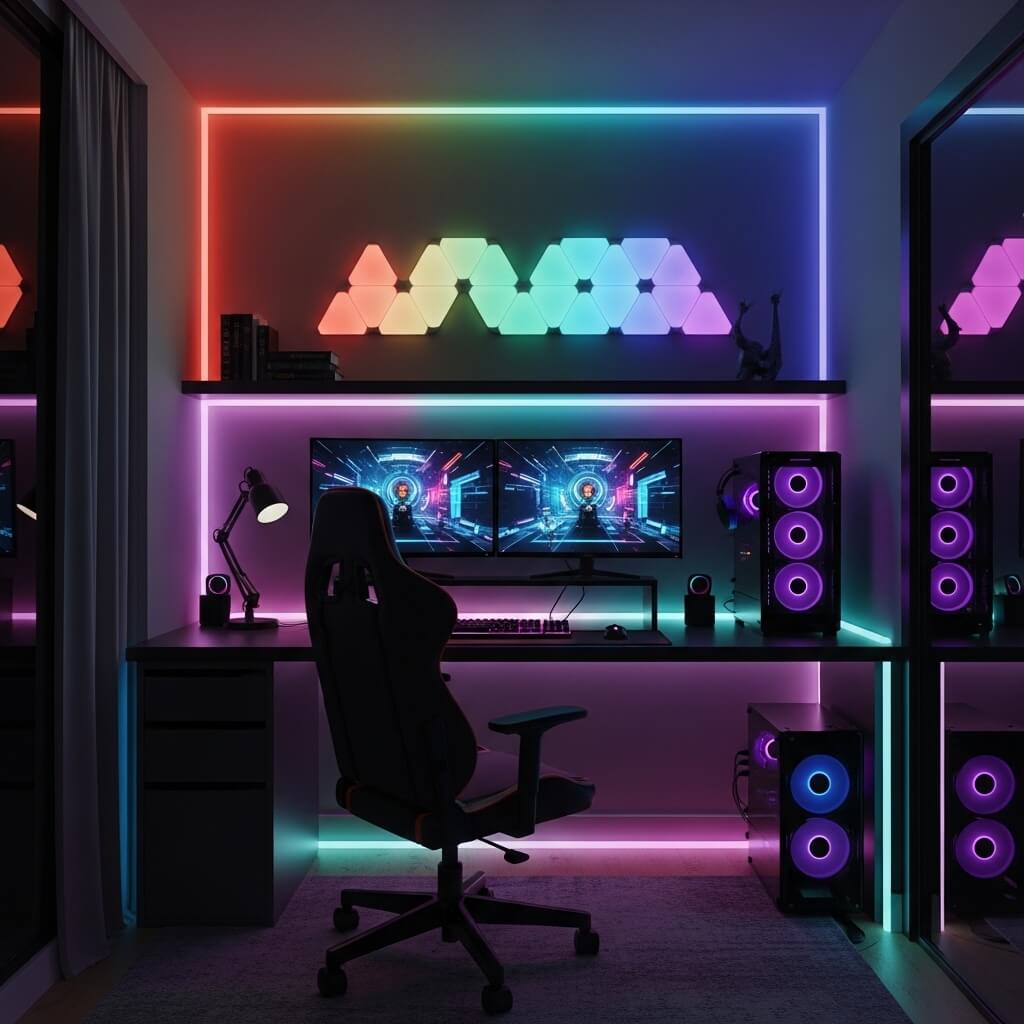
RGB lighting gets a lot of jokes thrown at it — “does it make you game better?” — and look, I’ll admit I’ve made those jokes myself. But here’s the thing: a well-designed RGB setup genuinely transforms the atmosphere of a small game room in a way that nothing else quite matches.
How to Do RGB Without Looking Like a Christmas Tree
The key to great RGB design is restraint and cohesion. The people whose setups look incredible aren’t throwing every color at the wall and hoping something sticks. They’re being deliberate.
Here’s how to nail it:
- Pick one or two dominant colors and stick with them across all your RGB devices
- Use sync software like iCUE, Razer Synapse, or Govee’s app to synchronize colors across your peripherals and lighting
- Layer your lighting — have ambient room lighting, desk accent lighting, and peripheral lighting as separate layers
- Put RGB where it matters most — behind the monitor, under the desk edge, and inside a PC case (if you have one)
Recommended RGB Elements for Small Spaces
- Govee or Philips Hue gradient LED strips — versatile, app-controlled, and brilliant
- RGB monitor bias lighting kits — sync with on-screen colors for a cinematic feel
- RGB keyboard and mouse — adds personality without taking up extra space
- Smart bulbs in a corner lamp — lets you shift room mood with a tap
RGB done right makes your small game room feel like a scene from a sci-fi movie. RGB done wrong makes it look like a neon sign shop exploded in your bedroom. Choose wisely. 🙂
8. Space-Saving Vertical Gaming Setup
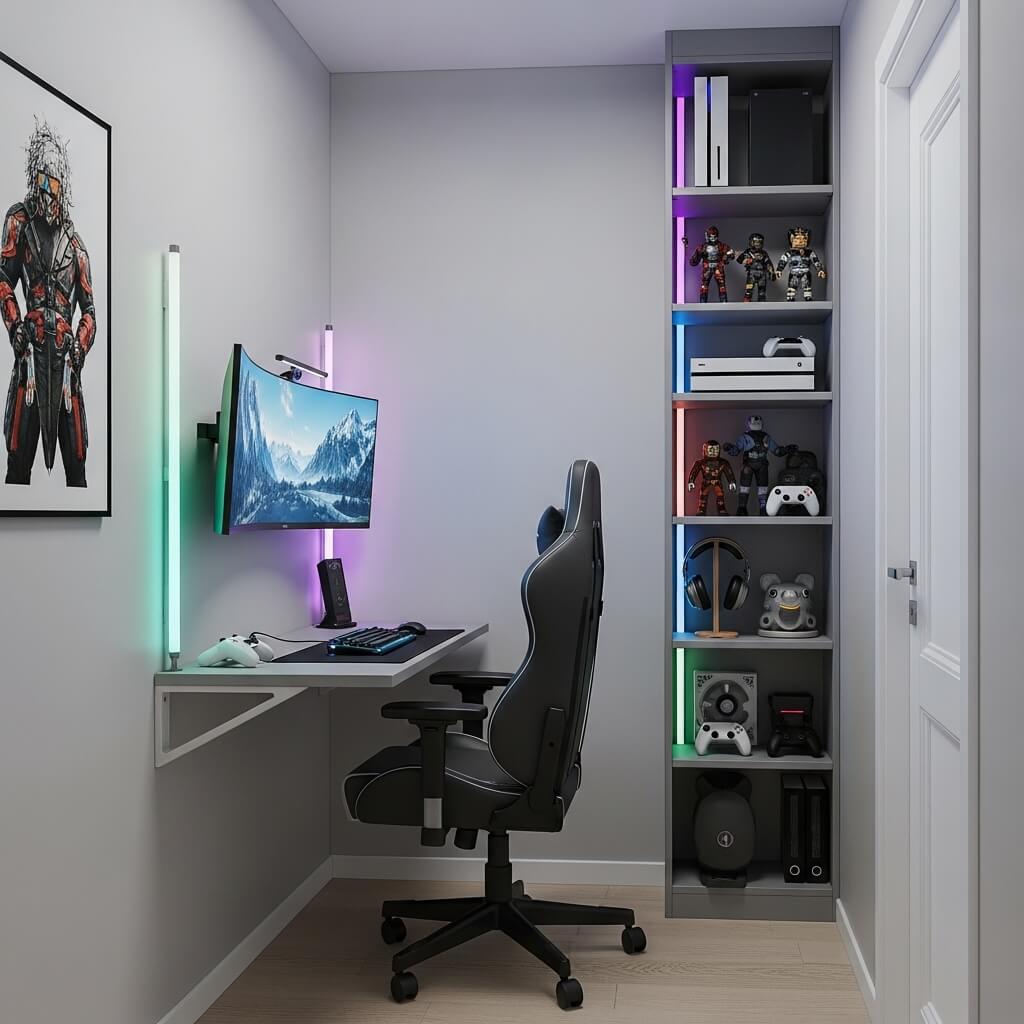
When floor space is limited, the only logical direction is up. Vertical setups are all about utilizing the height of your room rather than its footprint, and they can make a tiny gaming space look impressively stocked and organized.
Going Vertical: What It Actually Means
Vertical gaming setups focus on building upward rather than outward. Think tall shelving units, wall-mounted accessories, and stacked storage solutions.
Here’s what a smart vertical setup looks like:
- Floor-to-ceiling shelving units for games, figures, collectibles, and tech gear
- Vertical console stands for PS5, Xbox, or Switch — saves horizontal space on your desk or media unit
- Pegboards mounted at eye level with hooks for controllers, headsets, and cables
- Monitor arms that raise your screen higher, allowing storage underneath
- Wall-mounted power strips to keep plugs off the floor and desk
The Psychological Effect of Vertical Space
Here’s something interesting — rooms that use vertical space well actually feel larger, not smaller. When your eye is drawn upward, your brain perceives more volume in the space. Interior designers use this trick all the time, and it works just as well in game rooms.
Tall shelving units also give you the opportunity to show off your game collection, figures, and memorabilia in a way that makes your room feel like a curated space rather than a cluttered mess.
9. Modern Small Game Room with Smart Storage
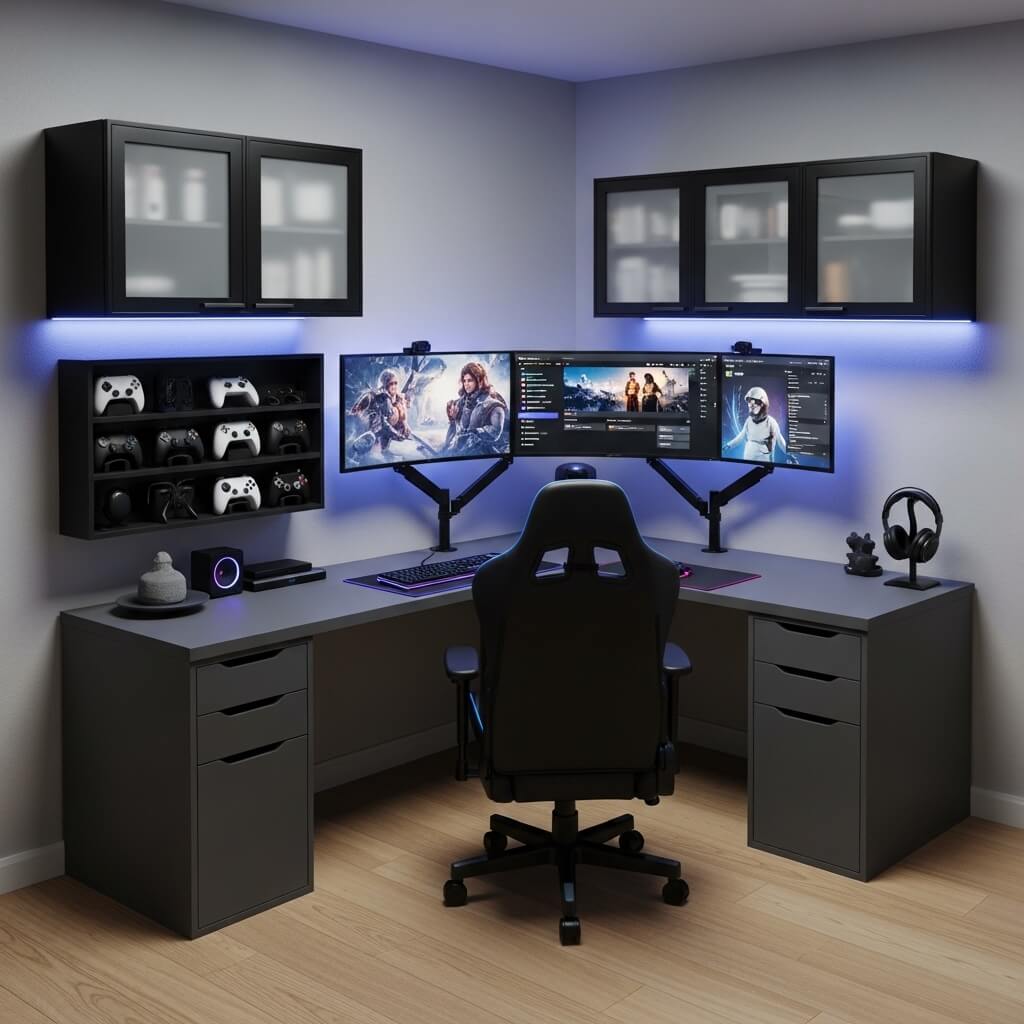
Storage is the unsung hero of every great small game room. You can have the best monitor, the flashiest RGB, and the most expensive chair — but if your space is drowning in cables, game cases, and random accessories, none of that matters.
Smart Storage Solutions That Actually Work
Smart storage isn’t just about having enough space — it’s about having the right kind of space in the right places.
Here are the storage solutions that make the biggest difference:
- Under-desk cable management trays — mount underneath your desk to hold power strips and cable runs out of sight
- Drawer organizers inside desk drawers for small accessories like SD cards, USB drives, and earbuds
- Game case wall mounts — display your physical game collection on the wall like artwork
- Rolling storage carts — the IKEA RÅSKOG cart is a community favorite for holding gaming accessories
- Headset holders that clamp to desk edges — free up desk space without requiring drilling
The Modern Game Room Aesthetic
Modern game rooms lean toward clean lines, monochromatic color schemes, and hidden storage. The goal is to have everything you need within arm’s reach but visually out of the way.
Invest in matching storage containers, cable boxes, and organizers. When everything matches, even a packed small room looks intentional and designed rather than chaotic. It’s the difference between “I live here” and “I designed this.”
Also Read: 10 Beautiful Simple Balcony Decor Ideas for Modern Homes
10. Tiny Game Room with Dual Monitor Setup
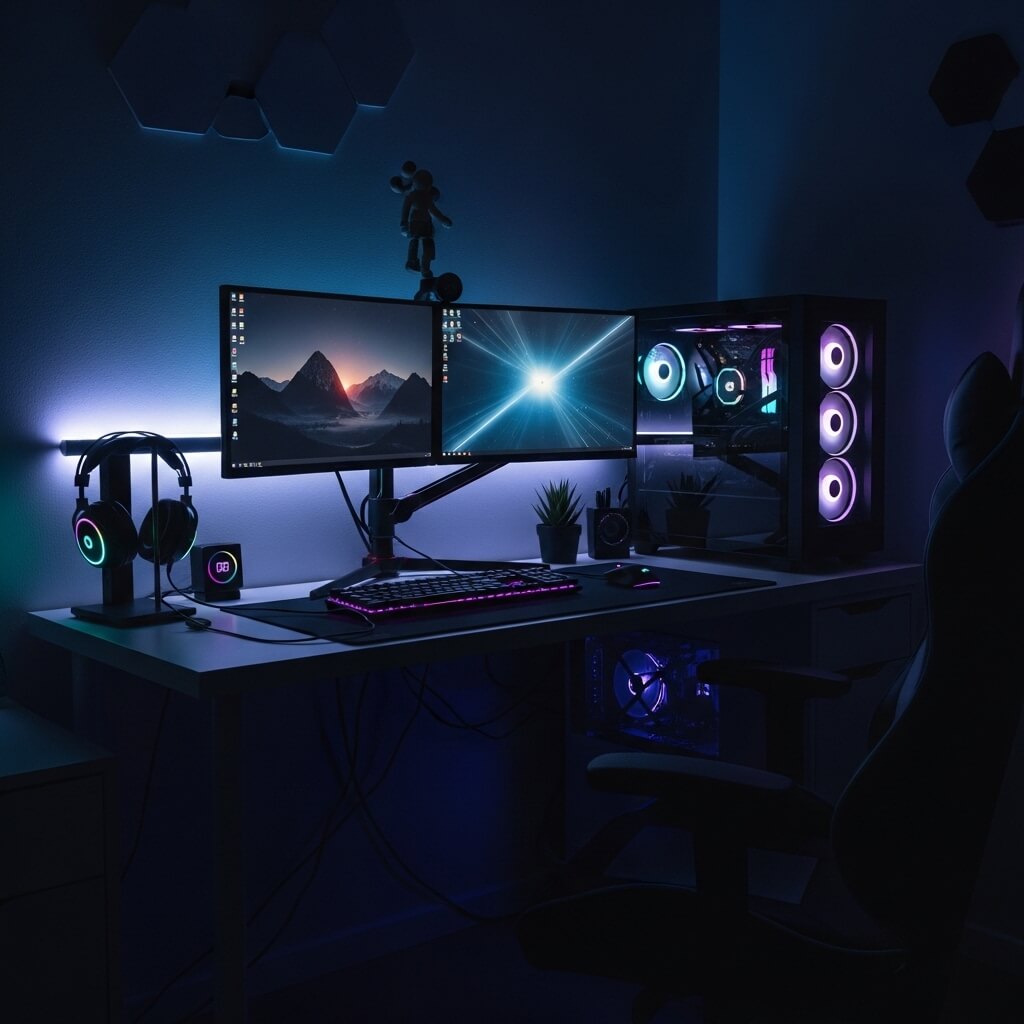
Running a dual monitor setup in a tiny game room sounds like a contradiction, but it’s more achievable than you think — and the productivity and gaming benefits are absolutely worth the effort of making it work.
Why Dual Monitors Work in Small Spaces
The misconception is that dual monitors require a massive desk. Not true. With the right monitor sizes and a proper dual monitor arm, you can run two screens on a relatively compact setup.
Here’s how to make dual monitors work in tight quarters:
- Use a dual monitor arm instead of two separate stands — this frees up an enormous amount of desk surface area
- Opt for 24-inch monitors in a small setup — going bigger makes sense in large rooms but can feel overwhelming in a tiny space
- Position monitors at a slight angle inward so both screens are equally visible without straining your neck
- Choose monitors with thin bezels — the gap between screens is smaller, which makes the dual setup feel more seamless
The Dual Monitor Game Plan
A popular small-room dual monitor approach:
- Primary monitor (slightly larger, facing you directly) for gaming
- Secondary monitor (slightly smaller, angled to the side) for Discord, streams, guides, or YouTube
- Both mounted on a single arm that mounts to the back edge of your desk
- Cable routing through the arm keeps things tidy
Having a second screen genuinely changes how you game and work. Watching a guide on one screen while playing on another, or monitoring your stream while gaming — it’s a quality-of-life upgrade that feels impossible to go back from once you experience it.
Final Thoughts: Your Small Game Room, Your Rules
Here’s the bottom line: a small game room is only as limiting as you allow it to be. Every idea on this list proves that you don’t need a massive space to build something incredible. You need creativity, intentionality, and a willingness to think outside the standard “desk and monitor in a big room” formula.
Let me recap the key takeaways:
- Minimize clutter and use LED lighting to make small spaces feel open and immersive
- Use corners and vertical space — these are your biggest untapped resources
- Wall mounting is your best friend when floor space is scarce
- Budget builds can be just as impressive as expensive ones with the right priorities
- Dual monitors are achievable in tiny spaces with the right arm setup
- Smart storage is the foundation of any functional small game room
Whether you’re starting from scratch or refreshing an existing setup, pick one or two ideas from this list that resonate with your space and your style — then start there. You don’t have to do everything at once. The best game rooms are built over time, with each upgrade making things a little better than before.
And honestly? The fact that you’re even thinking this carefully about your setup already puts you ahead of the curve. Now go build something awesome — your cozy little gaming sanctuary is waiting.